Manual Appointment Booking
Appointments can be created manually from the appointment management section.
Steps to Create an Appointment
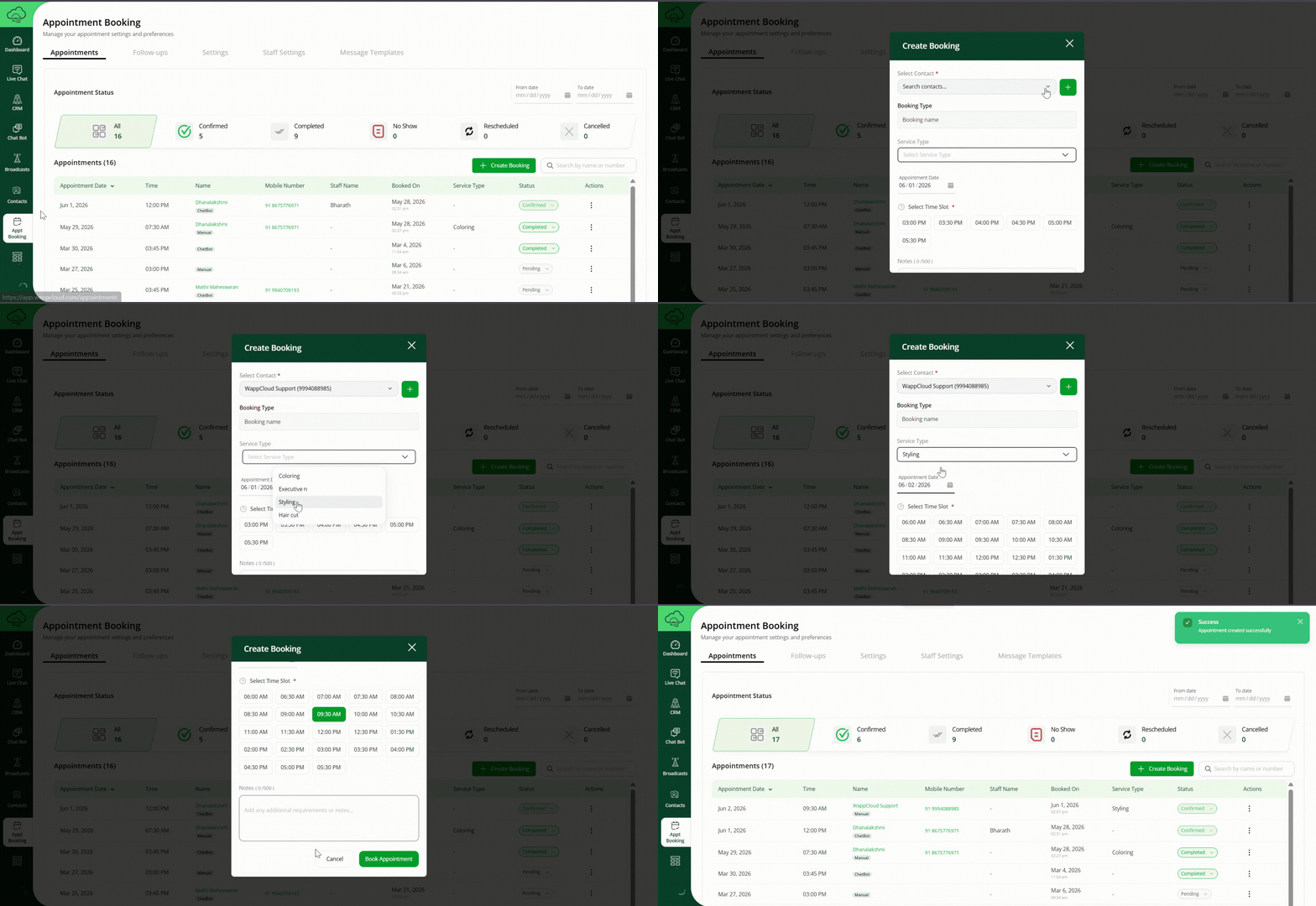
- Navigate to Appointment Booking > Appointments.
- Click Create Booking.
- Select the following:
- Contact
- Booking Type
- Service Type
- Appointment Date
- Available Time Slot
- Add optional notes if required.
- Click Submit Booking.
Result
The appointment will appear in the appointment listing page.
Appointment Status Management
Appointment statuses help track the progress of each booking.
Supported Status Values
- Confirmed
- Completed
- No Show
- Rescheduled
- Cancelled
Status Update Process
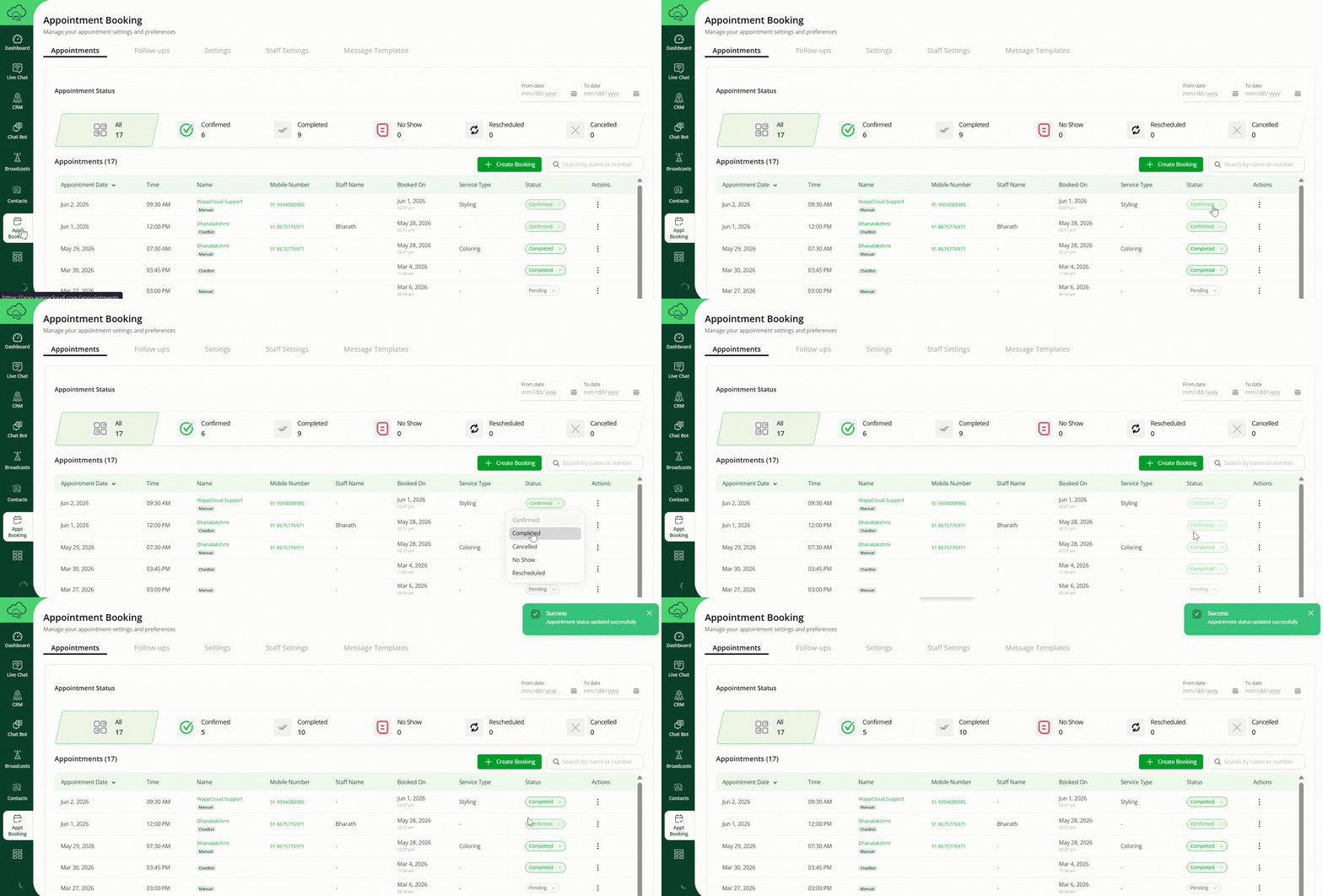
- Open the appointment listing.
- Select the appointment.
- Change the appointment status manually.
Automation
When the appointment status changes, configured message templates can automatically trigger.