Notification Settings
Notification settings help administrators receive important alerts and system updates through email.
Supported Notifications
Broadcast Schedule Completed
Receive a notification when a scheduled broadcast is completed.
Daily Lead Follow-Up
Receive a daily summary of leads requiring follow-up.
Daily New Lead Count
Receive a summary of newly added leads within the last 24 hours.
Steps to Configure Notifications
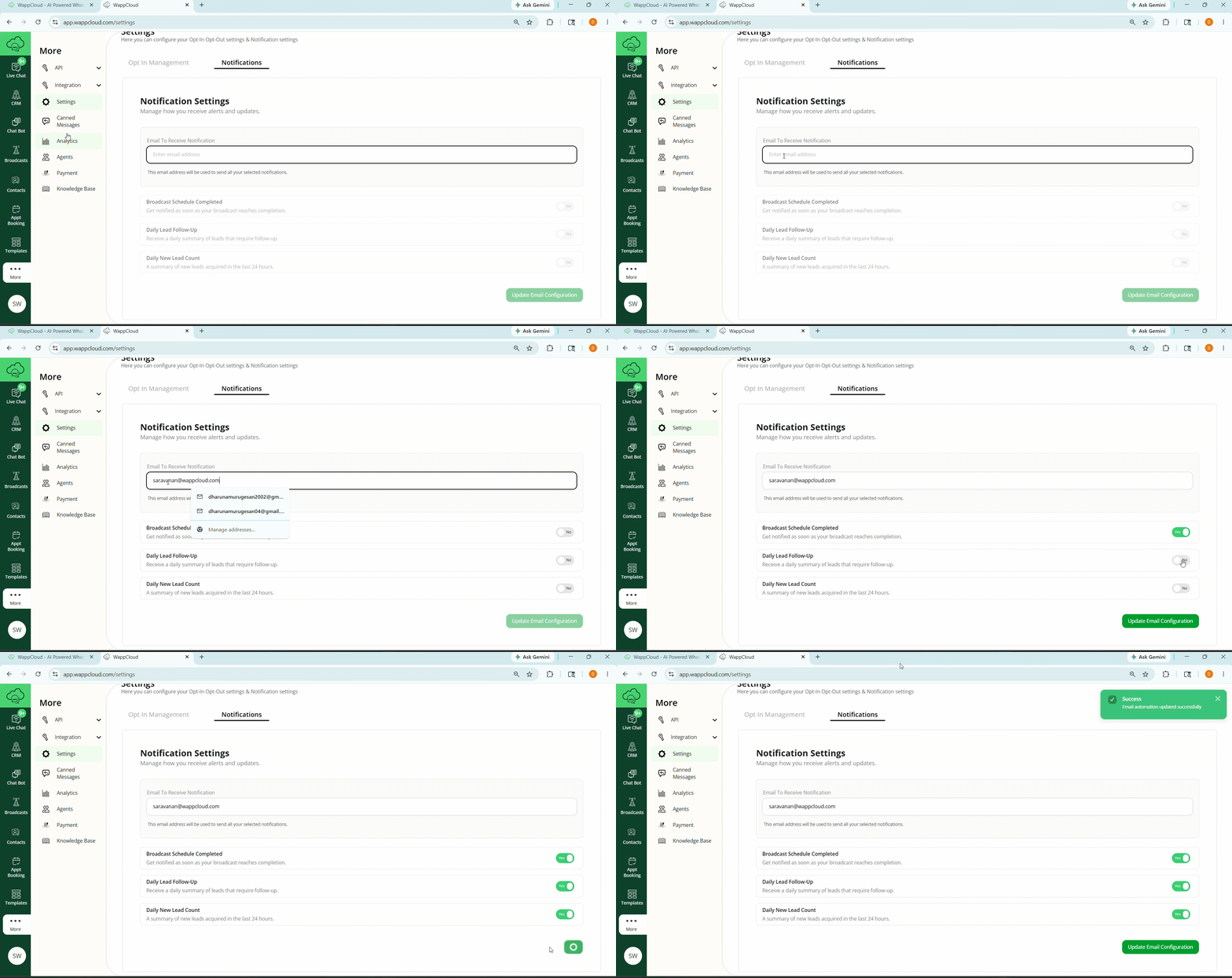
- Navigate to More > Settings.
- Select the Notification option.
- Enter the email address where notifications should be sent.
- Enable the required notification options:
- Broadcast Schedule Completed
- Daily Lead Follow-Up
- Daily New Lead Count
- Click Update Email Configuration to save the settings.