Canned Messages
Canned Messages are predefined responses that help agents reply quickly and consistently during conversations.
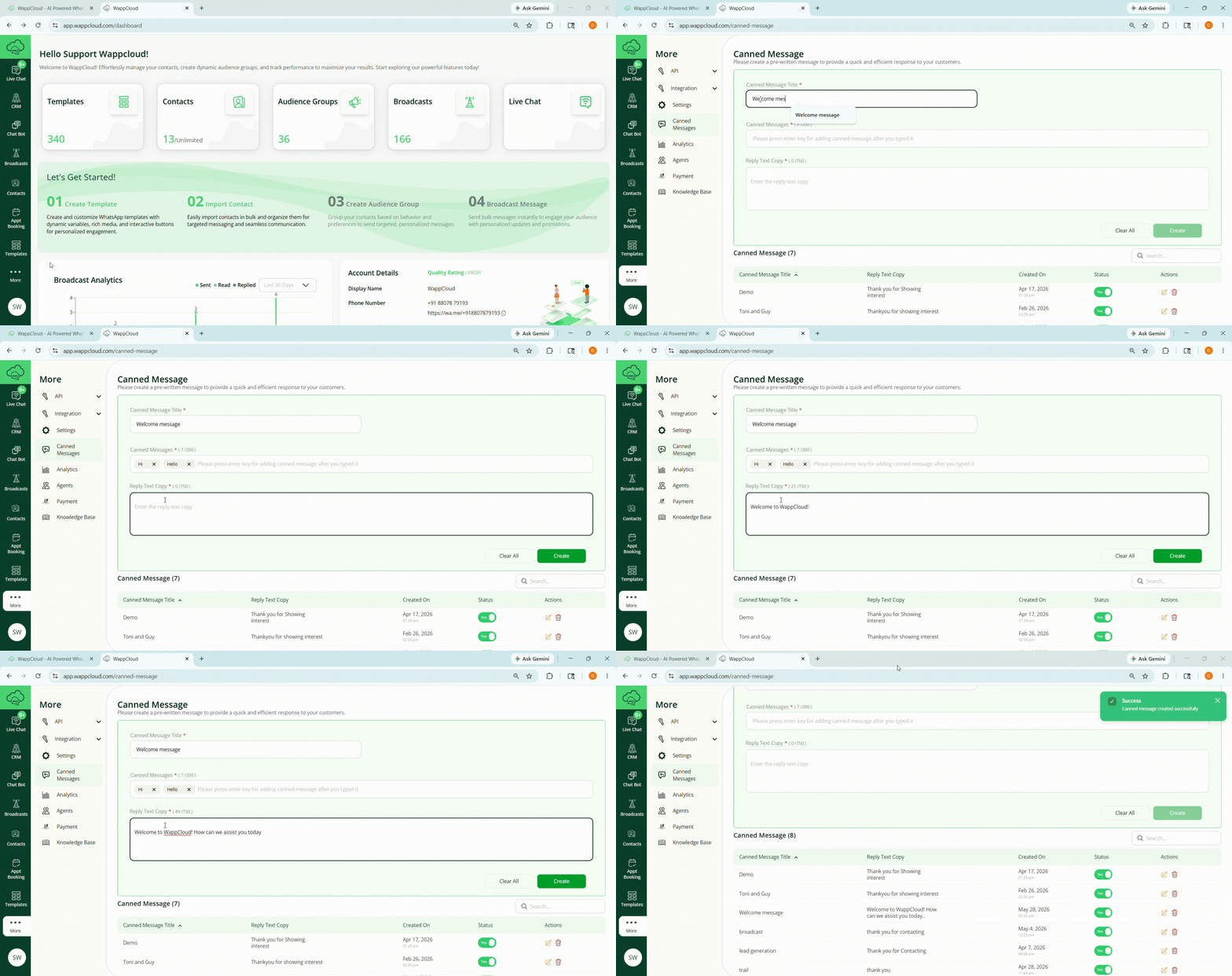
Steps to Create a Canned Message
- Navigate to More > Canned Message.
- Enter the canned message title.
- Enter the canned message text.
- Press Enter after typing the message to add the canned message.
- Enter the reply text in the Reply Text Copy field.
- Click Create.