More Options Module
The More Options module provides additional configurations for managing agents, canned messages, customer opt-in and opt-out preferences, and system notifications.
Agent Creation
The Agent Management feature allows administrators to create and manage agents with specific access permissions.
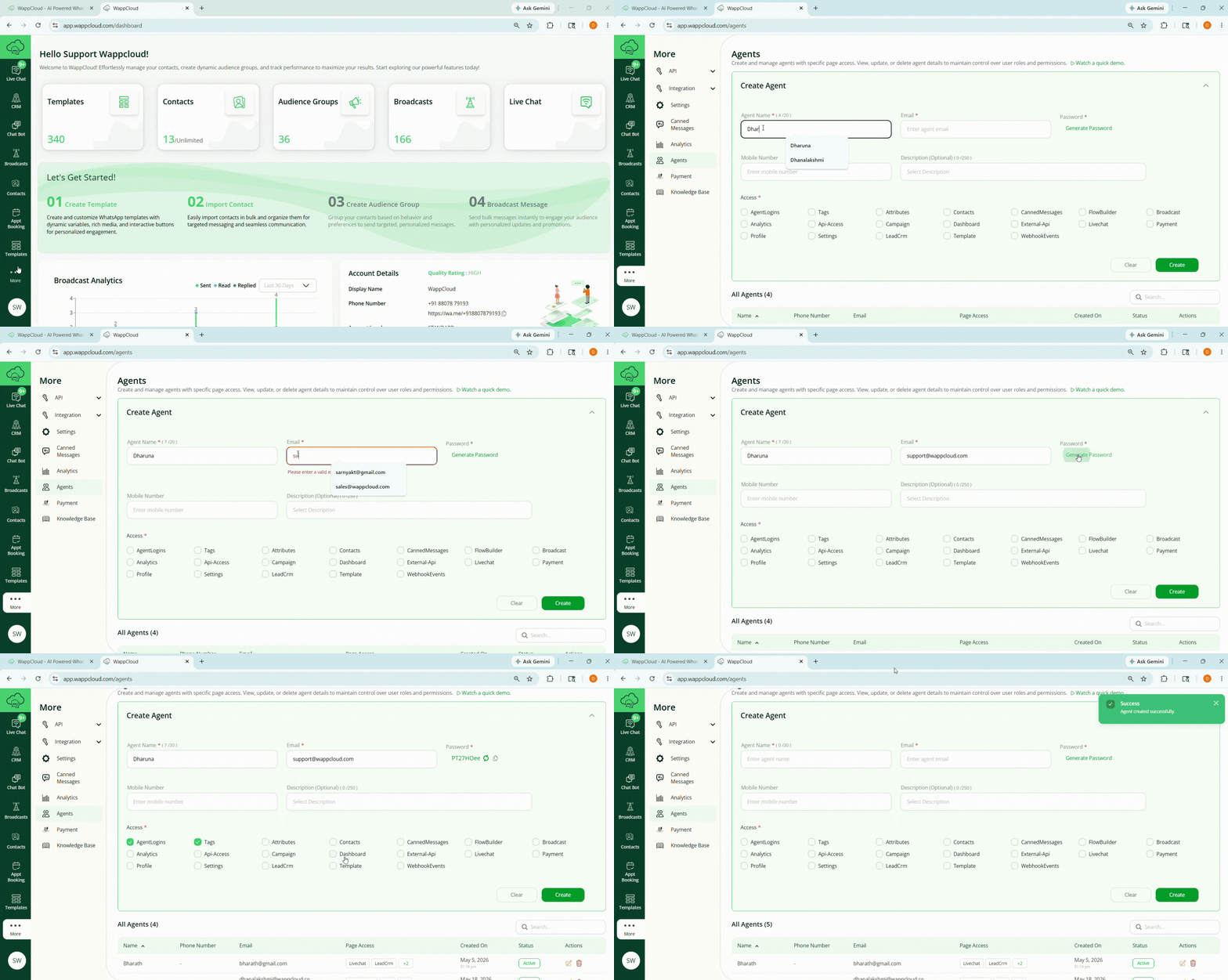
Steps to Create an Agent
- Navigate to More > Agents.
- Click the Create Agent button.
- Enter the following details:
- Agent Name
- Email Address
- Generate Password
- Mobile Number
- Provide the required access permissions by selecting the appropriate checkboxes.
- Click Create.